Loop Copilot · AI CRM Copilot
liveD365 automation for enterprise sales
CRM logging 4-6 min -> ~45 sec (~85% reduction)
> view
Loop Copilot · AI CRM Copilot · screen 1
click to expand
Loop Copilot · AI CRM Copilot · screen 1, 1 of 5
> the problem
Enterprise sales reps spend 4 to 6 minutes per CRM activity logging in Dynamics 365. Across hundreds of activities per rep per month, that is hours lost to data entry. Worse, the friction means activities do not get logged, so pipeline visibility degrades and opportunity tracking breaks down.
> my role
Sole architect and engineer. I owned the system from customer discovery through V2 production deployment, and built the entire stack solo, including the integration architecture that respected the customer's IT OAuth policy constraints.
> the outcome
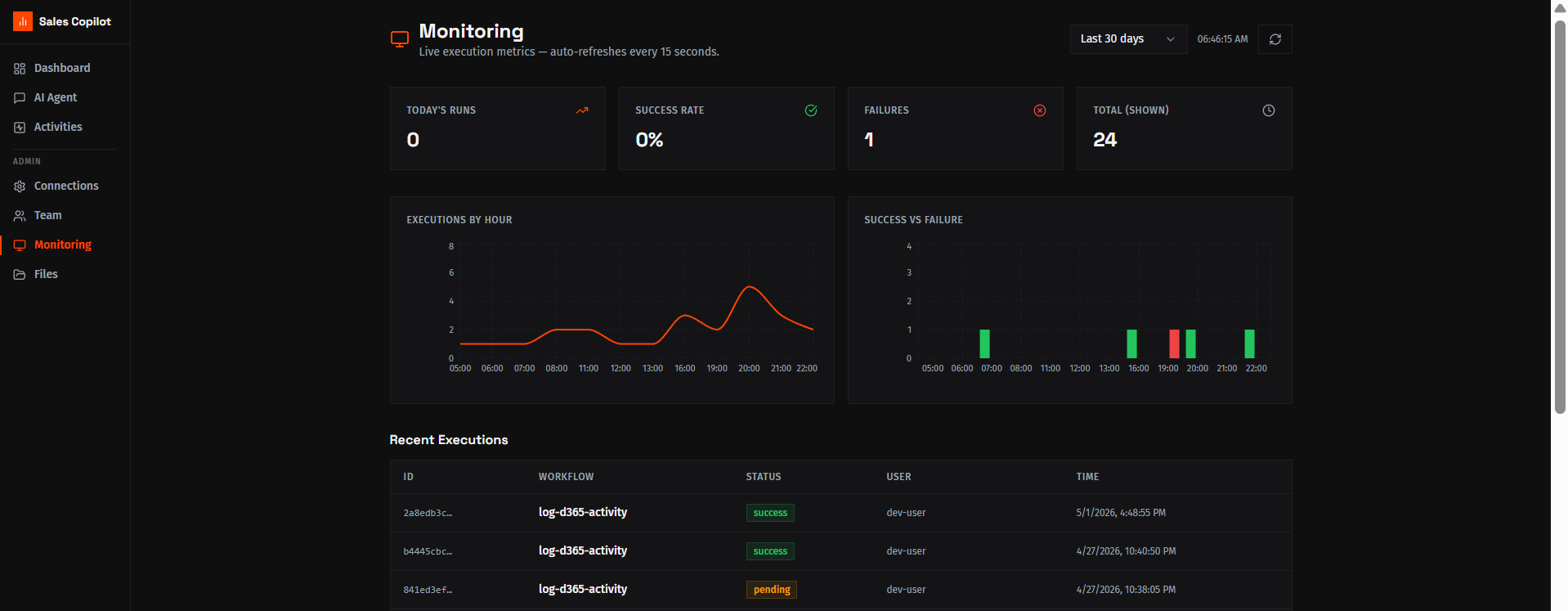
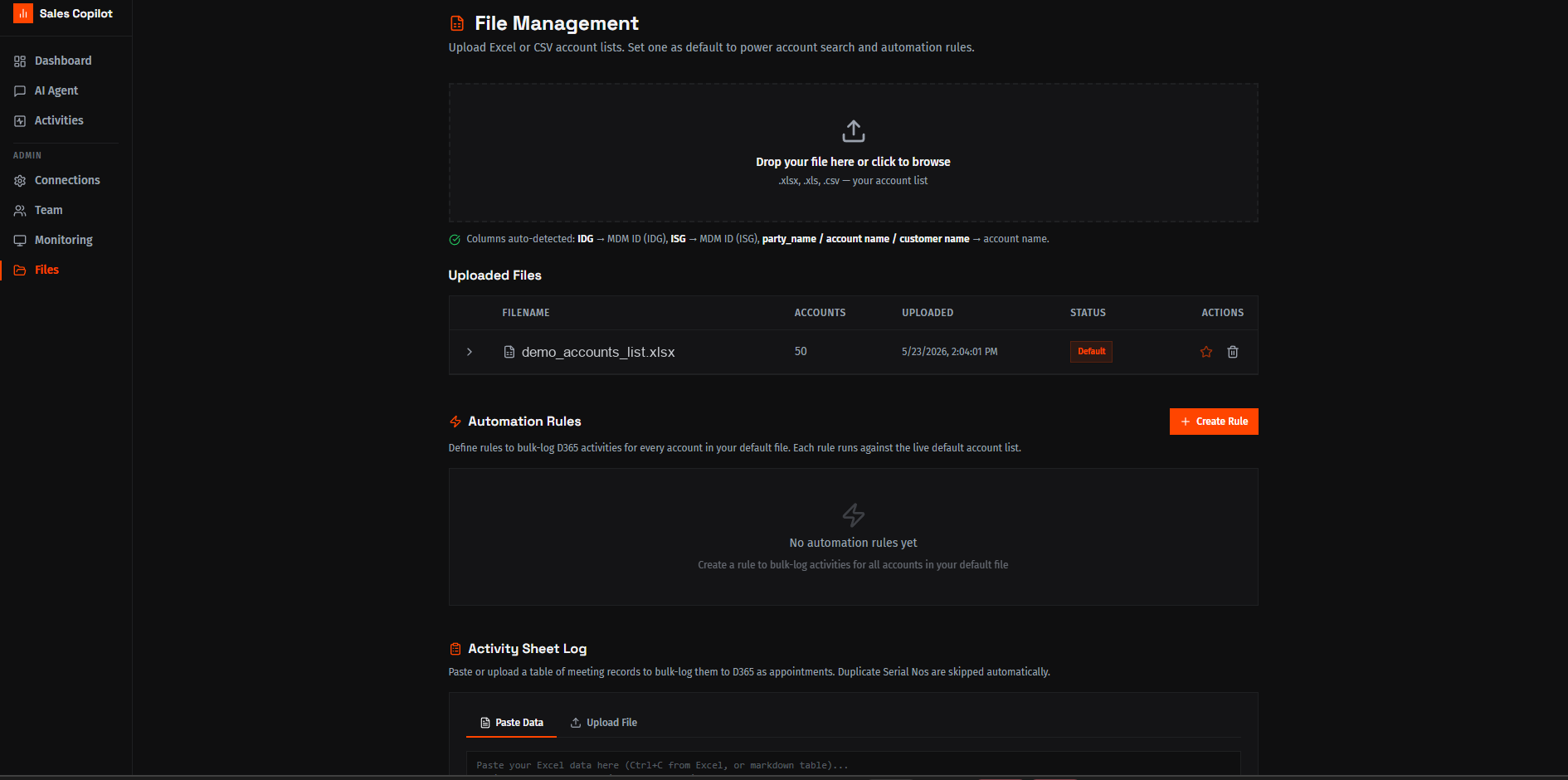
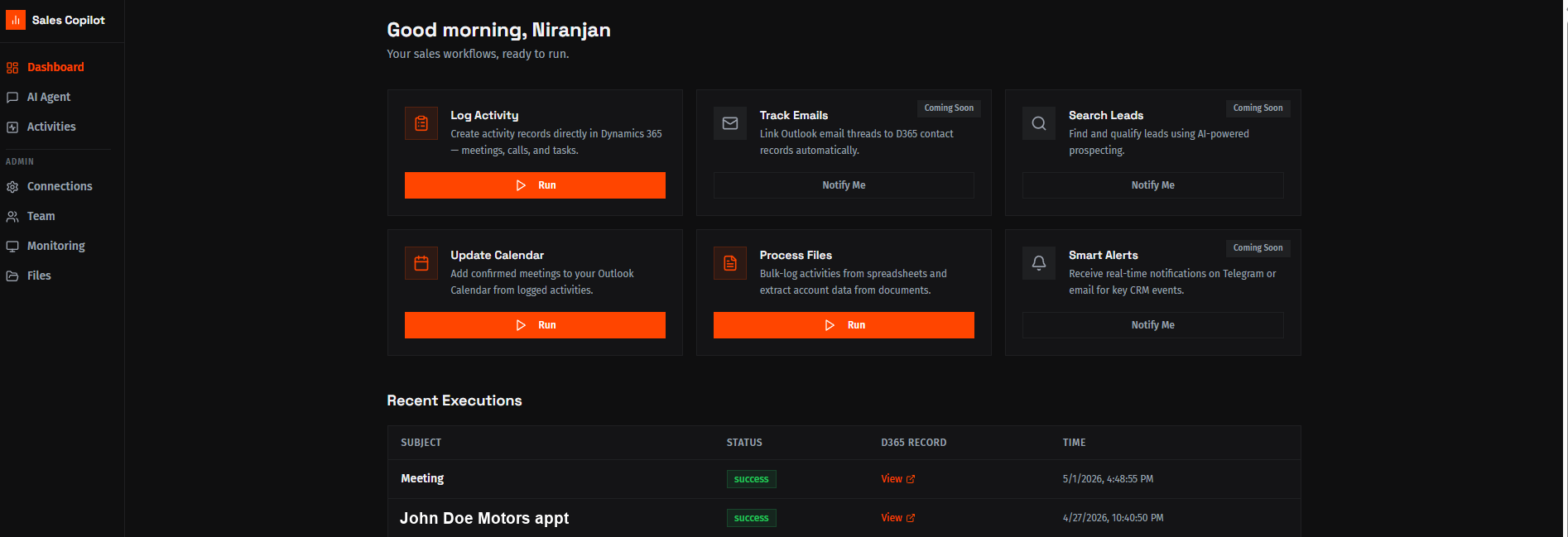
CRM activity logging dropped from 4 to 6 minutes to about 45 seconds, an ~85% reduction. It is live in production inside a Fortune 500 sales org with 20+ active users, and the pilot drove a V2 expansion request within two weeks of V1. The system is built to handle 150 concurrent users today and is designed to scale horizontally in a future release. V2 shipped in a single sprint covering Microsoft Graph calendar integration, bulk activity upload with AI summarization, Telegram alerts, admin monitoring, and a multi-CRM expansion shell.
> key decisions
- Three-tier integration within the customer's tenant trust model. Power Automate flows authenticated by internal tenant identity (primary), direct Dataverse REST via MSAL (secondary, broader-permission environments), Playwright session paths (fallback). The customer's IT policy blocked standard external OAuth grants, so I designed within their tenant trust boundary, not against it. Tradeoff: a more complex three-path strategy, but cross-environment portable from day one.
- Event sourcing over vector RAG for chat context. Live workflow events, account portfolio, and recent chat history get injected per request as structured JSON. Chat has to know what just happened in the workflow, which is a different question from what the history embeds to. Tradeoff: more tokens per request, but hallucinated memory drops to zero. Passing on RAG when it was the wrong tool was the whole point.
- MVP scope: appointment-logging only in V1, over six planned workflow types. Validate the end-to-end production flow in weeks, not months. The pilot drove an expansion request within two weeks of V1.
- Async throughout (FastAPI + Motor). Sub-second response was non-negotiable for rep adoption. Tradeoff: harder to debug than synchronous patterns.
> what i would do differently
Add automated test coverage from V1 rather than retrofitting it in V2. Architect the multi-CRM abstraction from day one instead of building D365-specific then refactoring. Ship the admin dashboard sooner; manager visibility into adoption was the second-highest request.
> screens

> product
Loop Copilot's product framing came from the field: seller-side workflow pain observed directly in enterprise CRM operations, prioritized around the moments where reps lose deals to slow context, not around feature volume.
Jobs To Be Done
- Core job
- When I am preparing for or sitting in a customer conversation, I want the full account context and the next best action surfaced instantly, so I never stall a deal because the system was slower than the customer.
- Functional
- Retrieve account and pipeline context across CRM objects, draft follow-ups, schedule and log actions without leaving the flow of work.
- Emotional
- Walk into every conversation feeling prepared; trust that what the copilot says is grounded in the CRM record, not invented.
Prioritization
- Must have
- Grounded retrieval over CRM data with tenant isolation, action execution with confirmation gates, enterprise SSO, and full auditability. Non-negotiable for a system that touches seller data.
- Should have
- Proactive nudges (stalled deals, upcoming renewals), multi-language support, and voice input, sequenced after trust in core answers was proven.
- Won't have
- Autonomous writes without human confirmation, cross-tenant learning, or any answer path that bypasses the guardrail layer.
Success Metrics
- Adoption
- Weekly active sellers and repeat usage rate: a copilot that reps return to unprompted is the only real signal.
- Quality
- Grounded-answer rate measured by evaluation loops, escalation-to-human rate, and time-to-context versus manual CRM navigation.
- Scale target
- Live in production for 20+ users, built to handle 150 concurrent today on Azure with Key Vault, Entra ID, Service Bus, and Redis in the serving path, and designed to scale horizontally.
Key Product Tradeoffs
- Trust over speed
- Every write action is confirmation-gated even though it costs a click: seller trust in an enterprise tool is unrecoverable once lost.
- Depth over breadth
- Fewer CRM surfaces covered deeply (accounts, opportunities, activities) rather than shallow coverage of every object type.